Top Free Cloud Database Providers for Developers
A practical guide to the best free cloud databases for side projects, MVPs, and early-stage apps, with clearer pros and cons for each option.
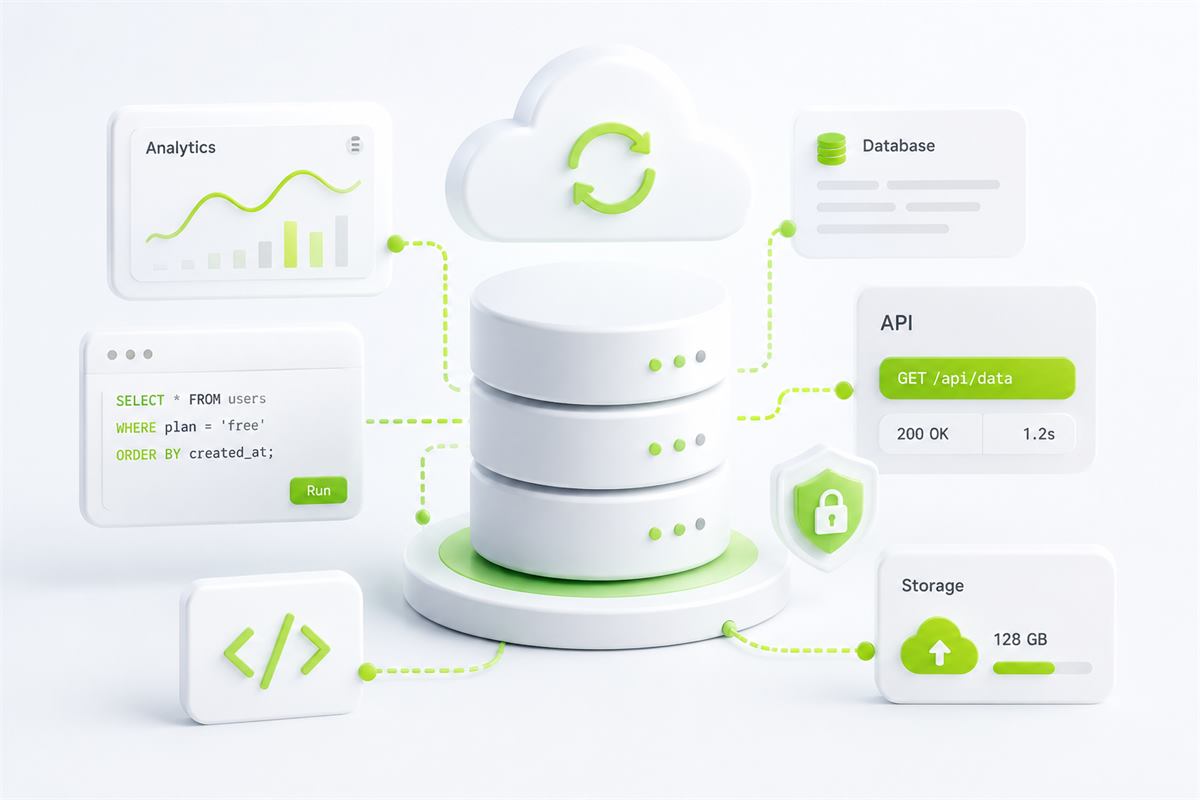
Hosting code is only half the job. As soon as your app needs users, sessions, products, messages, analytics, or caching, your database choice becomes one of the most important technical decisions you make.
The good news is that there are still strong free database providers for side projects and MVPs. The tradeoff is that every free plan has limits, whether that means storage caps, sleeping compute, command quotas, or reduced performance.
Here is a practical look at four of the best free cloud database options for developers: MongoDB Atlas, Supabase, Neon, and Upstash.
1. MongoDB Atlas
MongoDB Atlas is one of the easiest ways to get a managed NoSQL database running for a modern JavaScript stack. If you are already building with MongoDB, Atlas is usually the default starting point for development and small production workloads.
It works especially well for flexible schemas, fast iteration, and apps where the data model changes often during the early stages.
Best for
- MERN-stack applications
- User profiles, content systems, and document-style data
- Rapid prototyping with evolving schemas
Pros
- Widely adopted: Very familiar to JavaScript developers and well supported by community resources.
- Flexible data model: Useful when your schema changes frequently.
- Managed hosting: No need to run and maintain your own MongoDB server.
Cons
- Free tier is limited: Storage and cluster resources are modest.
- Less natural for relational data: Complex joins and strict relational workflows are not its strongest area.
- Schema flexibility can create inconsistency: Fast-moving teams still need discipline to keep data clean.
2. Supabase
Supabase is one of the best all-around free platforms for developers who want more than just a database. It combines hosted PostgreSQL with authentication, storage, and a polished developer experience.
For many projects, Supabase feels like getting a serious backend toolkit in one place instead of stitching together multiple free services.
Best for
- Apps that need a relational database plus auth and storage
- SaaS MVPs, dashboards, and internal tools
- Developers who want Postgres with a modern UI and ecosystem
Pros
- More than a database: You also get auth, storage, and useful backend tooling.
- Excellent developer experience: Clean dashboard, strong community support, and fast setup.
- Great for shipping quickly: Especially strong for products that need accounts and structured app data.
Cons
- Free tier is limited: Good for side projects, but not built for heavy production use forever.
- Can be more than you need: If you only want a plain database, the broader platform may feel heavier.
- Usage can grow fast: Teams that scale quickly may outgrow the free plan sooner than expected.
3. Neon
Neon is one of the most interesting Postgres options for modern deployment patterns. It is especially attractive for serverless and preview-based workflows where developers still want the power of SQL.
Its strongest value shows up when your app architecture already leans toward lightweight, elastic, cloud-native deployment patterns.
Best for
- Serverless apps that need PostgreSQL
- Teams that like modern branch-style development workflows
- Developers who want a more cloud-native Postgres experience
Pros
- Strong fit for modern architectures: Very appealing for serverless and preview-heavy apps.
- Postgres compatibility: Keeps the benefits of a well-known relational database.
- Forward-looking workflow: Attractive for developers who want a modern platform feel.
Cons
- Free tier is limited: Excellent for development and MVPs, but not infinite.
- Best value depends on your stack: Some of its strengths matter less if you are not building in a serverless style.
- Less immediately simple than Supabase: Some teams may find Supabase easier to adopt first.
4. Upstash
Upstash is different from the other providers here because it is usually not your primary database. Instead, it is most useful as a supporting data layer for caching, rate limiting, queues, and lightweight state.
That makes it extremely valuable in modern architectures, especially when performance and request control matter more than long-term relational storage.
Best for
- Rate limiting
- Caching expensive queries or API responses
- Session state and lightweight real-time coordination
Pros
- Very useful companion service: A great addition to your primary database setup.
- Strong for serverless workflows: Helpful where traditional Redis setups feel too heavy.
- Simple and practical value: Caching and request control solve real performance problems quickly.
Cons
- Not a full primary database for most apps: Think of it as a supporting tool, not your main data store.
- Free tier is limited: Daily command caps matter once usage grows.
- Use-case specific: Very powerful when needed, less relevant when you do not need caching or coordination.
Final Thoughts
If you want a flexible NoSQL option, MongoDB Atlas is still one of the best starting points. If you want the strongest all-around developer platform with PostgreSQL, Supabase is hard to beat.
If your app leans into serverless or preview-style workflows, Neon is a smart option. And if you need caching, rate limiting, or lightweight supporting infrastructure, Upstash is one of the best free tools you can add.
A practical free stack today can look very strong: use Supabase or Neon as your primary database, add Upstash for caching and rate limiting, and deploy your backend on Mapherix.